Desktop printing
Print map backups from desktop.
Use desktop printing when paper still matters: plan the area, choose scale and layout, include grid detail, and print around the route or area you need.
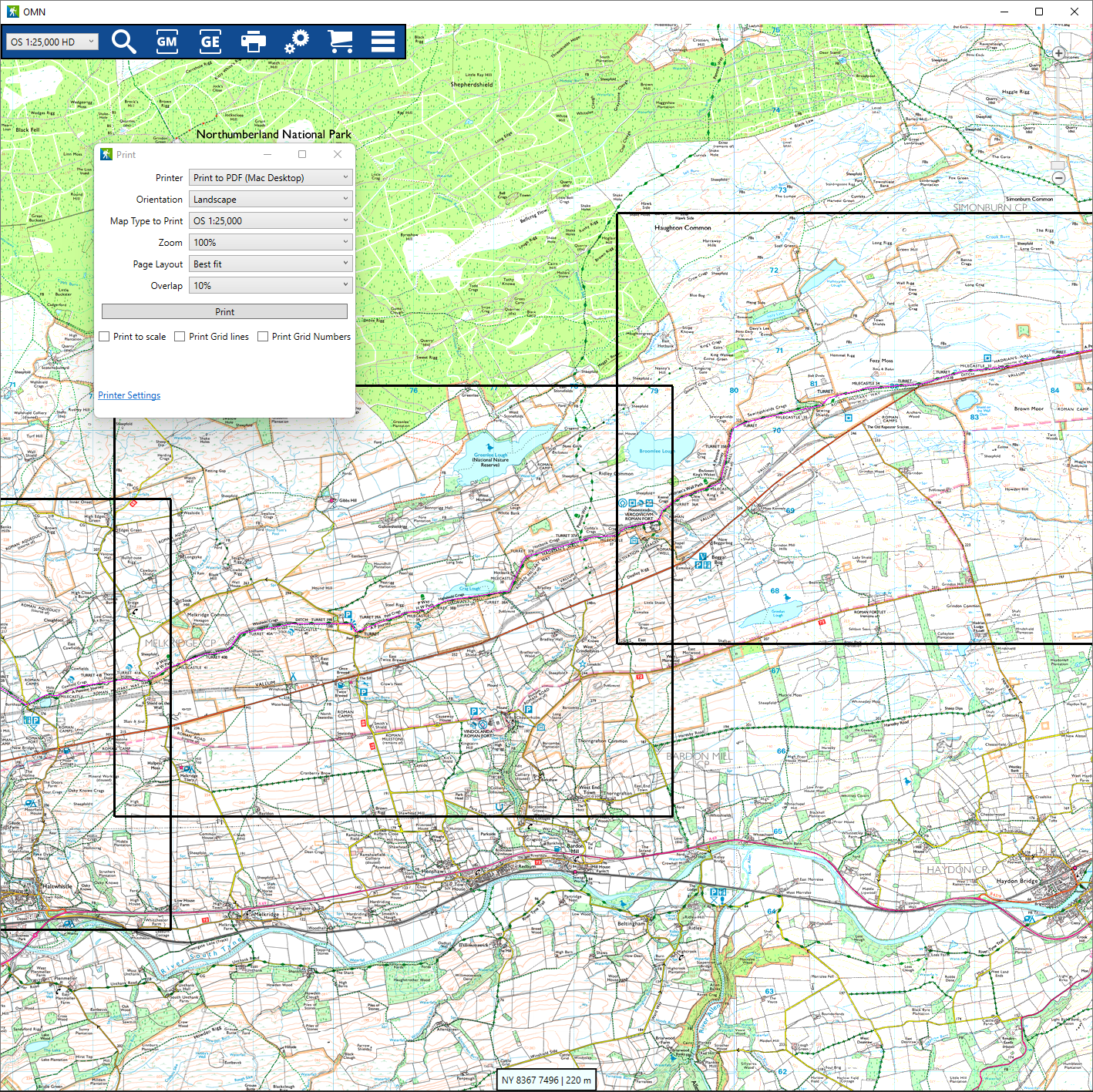
Choose scale and layout
Desktop printing should show practical control over scale, paper orientation, and the area that will print.
- Choose a scale before printing.
- Use the layout that fits the route or area.
Use single-page or multi-page output
Multi-page copy is allowed only when the screenshot proof shows the relevant UI or output clearly.
- Keep multi-page claims tied to WEB-07 proof.
- Use conservative wording in internal review if proof is missing.
Include grid detail
Grid lines and grid numbers are part of the serious map-printing story and should be visible where the proof supports it.
- Show grid options when screenshot-ready.
- Keep map attribution visible when map data is reproduced.
Use route-aware printing where proven
Route-aware and best-fit printing are implementation-backed, but public launch copy still needs a real screenshot.
- Use best-fit only in the printing context.
- Hold route-aware claims if WEB-07 does not prove them.
Proof gate
Screenshot proof before public launch
WEB-07 must show scale, layout, grid, and route-aware or multi-page proof before those claims are public. Until then, keep the page conservative or visibly gated.
Help and detail
Marketing pages explain the value and proof. Step-by-step instructions stay in the help centre.
Ready to plan properly?
Start a 7 day trial, install OMN4 on the devices you use, and download the maps you need before your next route.